.png?width=150&height=85&name=Hutly_RGB_MainLogo_Landscape_Black%20(5).png)
Whether you're creating a new form or setting up a reusable template, you can easily add special conditions to suit your specific agreement needs.
Here’s how to create and reuse special conditions within your forms:
✅ Step 1: Add a special condition
-
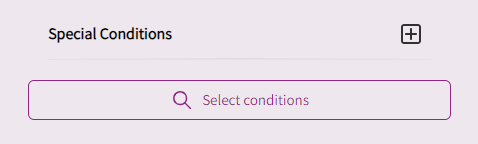
Navigate to the Special Conditions section within your form.
-
Click the + (plus) icon next to the field.
✅ Step 2: Enter your details
-
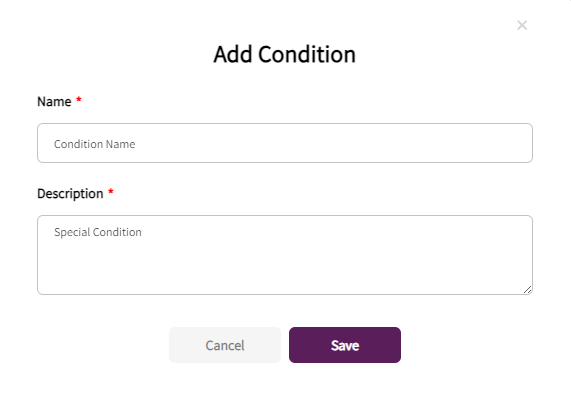
Give your special condition a clear name—this helps with future reuse.
-
Add the specific details of the condition in the Description box.
-
Click Save.

Your special condition will now appear within the Special Conditions section of the form.
♻️ Reuse special conditions across future forms
Once you’ve created a special condition, it will be saved to your account and available for use in all future forms and templates—saving you time and ensuring consistency.