---
title: How to create a report with statistics based on your Sales Search criteria
description: This article is intended to help you create a report with statistics based on your results out of Sales Search. The statistics do not reflect the whole...
---
[Skip to content](https://help.hutly.com/buddybee/how-to-create-a-report-with-statistics-based-on-your-sales-search-criteria-#main-content)
English - Australia
Show submenu for translations
[More support](https://help.hutly.com/kb-tickets/new?hsLang=en-au)
[.png?width=150&height=85&name=Hutly_RGB_MainLogo_Landscape_Black%20(5).png)](https://hutly.com/?hsLang=en-au)
- [Sign in](https://au.hutly.com/)
- [Contact us](https://hutly.com/adlforms/contact)
Open main navigation
Close main navigation
- [Sign in](https://au.hutly.com/)
- [Contact us](https://hutly.com/adlforms/contact)
- English - Australia
Show submenu for translations
- [More support](https://help.hutly.com/kb-tickets/new)
- Contact us
Contact us
How can we help you?
- There are no suggestions because the search field is empty.
1. [Hutly Knowledge Base](https://help.hutly.com/?hsLang=en-au)
2. [Property Data](https://help.hutly.com/property-data?hsLang=en-au)
3. [Search & Mapping](https://help.hutly.com/property-data?hsLang=en-au#search-mapping)
# How to create a report with statistics based on your Sales Search criteria
This article is intended to help you create a report with statistics based on your results out of Sales Search. The statistics **do not** reflect the whole suburb but exclusively your search results. If you would like a report about an entire suburb, please refer to [HOW TO: Run a report about a suburb.](https://help.propertydata.com.au/support/hc/en-us/articles/4410590297367-how-to-run-a-report-about-a-suburb?hsLang=en-au)
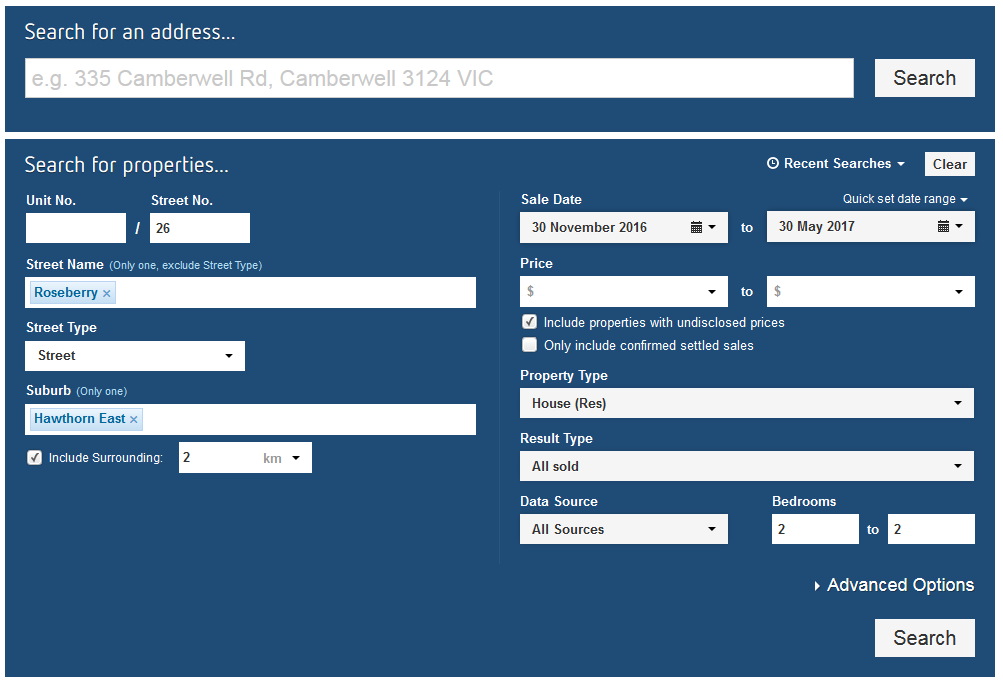
**Step 1: Select your search criteria and click "Search"**
**Step 2: Scroll down and view the statistics at the bottom of the page**
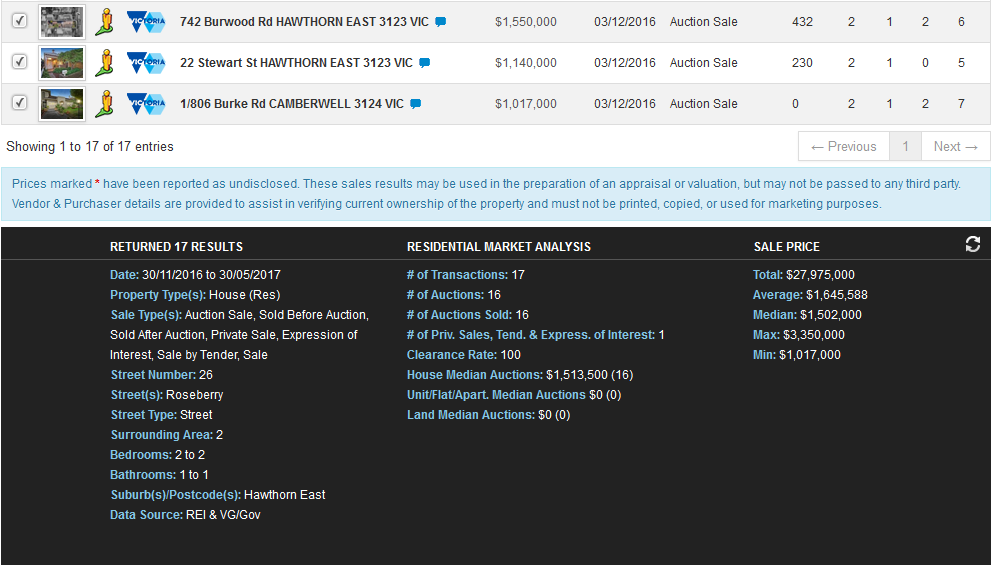
**Step 3: Review the data available**
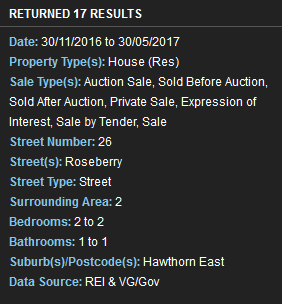
**Search Criteria**
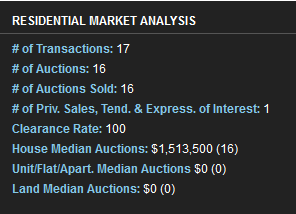
**Residential Market Analysis**
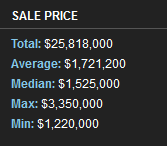
**Sale Price Statistics**
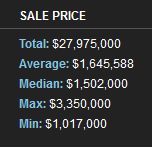
**Step 4: Change your results by excluding results by unticking the boxes next to each record**
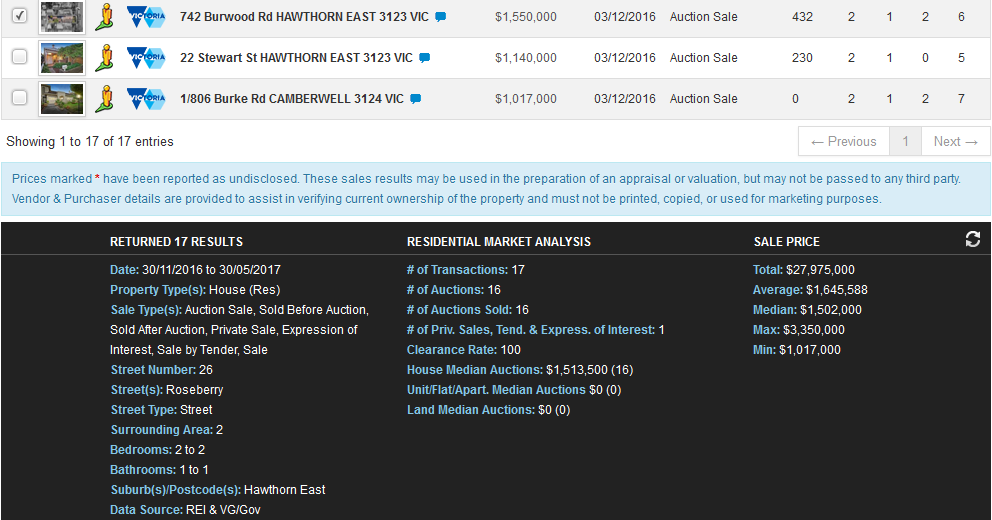
**Step 5: Click on the "Sync" button to update the statistics**
**Step 6: Click on "Print Reports" and select "Statistics Report"**

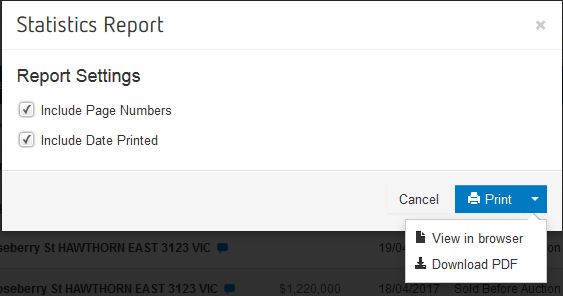
**Step 7: The below window will appear and you can choose to include various features in the report by ticking the boxes.**
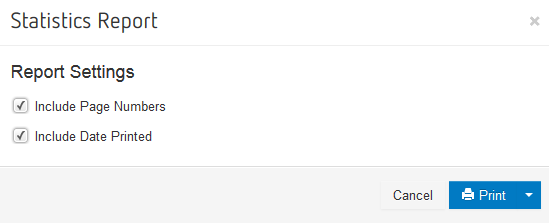
**Step 8: Click on "Print" and choose to download the PDF or view in your browser**
- [Hutly](https://help.hutly.com/hutly?hsLang=en-au#main-content)
- [Agentic AI](https://help.hutly.com/hutly?hsLang=en-au#agentic-ai)
- [Workspaces \[Forms\]](https://help.hutly.com/hutly?hsLang=en-au#workspaces-forms)
- [eSigning](https://help.hutly.com/hutly?hsLang=en-au#esigning)
- [ADL Forms](https://help.hutly.com/hutly?hsLang=en-au#adl-forms)
- [VicForms](https://help.hutly.com/hutly?hsLang=en-au#vicforms)
- [Property Data](https://help.hutly.com/property-data?hsLang=en-au#main-content)
- [CMA (Sales & Rental)](https://help.hutly.com/property-data?hsLang=en-au#cma-sales-rental)
- [Statement of Information (SOI)](https://help.hutly.com/property-data?hsLang=en-au#statement-of-information-soi)
- [Search & Mapping](https://help.hutly.com/property-data?hsLang=en-au#search-mapping)
- [Market Insights](https://help.hutly.com/property-data?hsLang=en-au#market-insights)
- [API & Data Feeds](https://help.hutly.com/property-data?hsLang=en-au#api-data-feeds)
- [Mobile App](https://help.hutly.com/property-data?hsLang=en-au#mobile-app)
- [Result Reporting](https://help.hutly.com/property-data?hsLang=en-au#result-reporting)
- [Account & Platform](https://help.hutly.com/account-platform?hsLang=en-au#main-content)
- [Getting Started](https://help.hutly.com/account-platform?hsLang=en-au#getting-started)
- [Hutly Credits](https://help.hutly.com/account-platform?hsLang=en-au#hutly-credits)
- [Subscription & Pricing](https://help.hutly.com/account-platform?hsLang=en-au#subscription-pricing)
- [Hutly Settings](https://help.hutly.com/account-platform?hsLang=en-au#hutly-settings)
- [Property Data Settings](https://help.hutly.com/account-platform?hsLang=en-au#property-data-settings)
- [Security & Compliance](https://help.hutly.com/account-platform?hsLang=en-au#security-compliance)
- [Troubleshooting](https://help.hutly.com/account-platform?hsLang=en-au#troubleshooting)
- [Sign in](https://au.hutly.com/)
- [Contact us](https://hutly.com/adlforms/contact)
[-1.png?width=150&height=85&name=Hutly_RGB_MainLogo_Landscape_Black%20(3)-1.png "Hutly_RGB_MainLogo_Landscape_Black (3)-1")](https://help.hutly.com/?hsLang=en-au)
[mailto:email@email.com](mailto:email@email.com)
Copyright © 2026, Hutly Pty Ltd