.png?width=150&height=85&name=Hutly_RGB_MainLogo_Landscape_Black%20(5).png)
This article is intended to help you run a Median Report in PropertyData that will allow you to compare up to five suburbs house and unit medians.
Step 1: On the home page of PropertyData, scroll down to the Median Report search option.
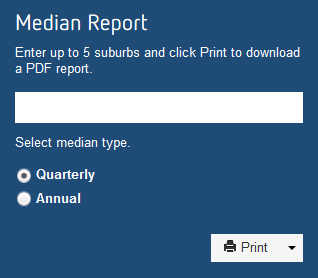
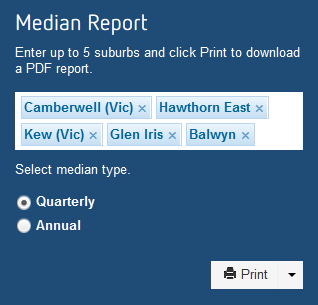
Step 2: Type in up to five suburbs that you would like to compare.
Ensure you are selecting the suburbs from the drop-down box that appears when you start typing. Then select either quarterly or annual medians.
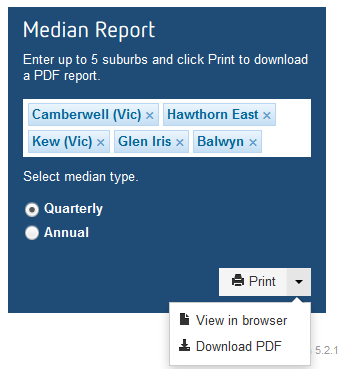
Step 3: Select Print and choose either Download PDF or View in browser.
Step 4: View your Median Report.
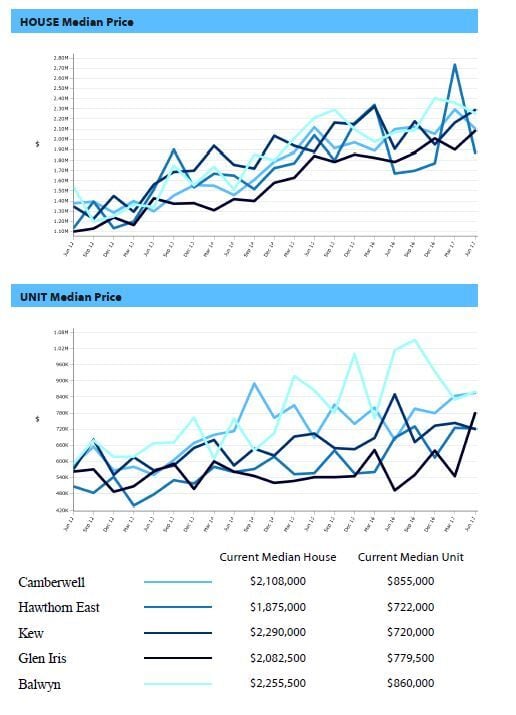
For an example of a completed Median Report, please see the attached document.