---
title: How to get started with PropertyData - Written Guid
description: In this tutorial, you'll learn how to navigate and utilise the features of PropertyData to gain deep market insights and generate comprehensive reports....
---
[Skip to content](https://help.hutly.com/buddybee/getting-started-with-propertydata-online-written-guide#main-content)
English - Australia
Show submenu for translations
[More support](https://help.hutly.com/kb-tickets/new?hsLang=en-au)
[.png?width=150&height=85&name=Hutly_RGB_MainLogo_Landscape_Black%20(5).png)](https://hutly.com/?hsLang=en-au)
- [Sign in](https://au.hutly.com/)
- [Contact us](https://hutly.com/adlforms/contact)
Open main navigation
Close main navigation
- [Sign in](https://au.hutly.com/)
- [Contact us](https://hutly.com/adlforms/contact)
- English - Australia
Show submenu for translations
- [More support](https://help.hutly.com/kb-tickets/new)
- Contact us
Contact us
How can we help you?
- There are no suggestions because the search field is empty.
1. [Hutly Knowledge Base](https://help.hutly.com/?hsLang=en-au)
2. [Property Data](https://help.hutly.com/property-data?hsLang=en-au)
# How to get started with PropertyData - Written Guid
## Your step-by-step guide to unlocking the platform’s full potential.
In this tutorial, you'll learn how to navigate and utilise the features of PropertyData to gain deep market insights and generate comprehensive reports.
#### **Step 1:**
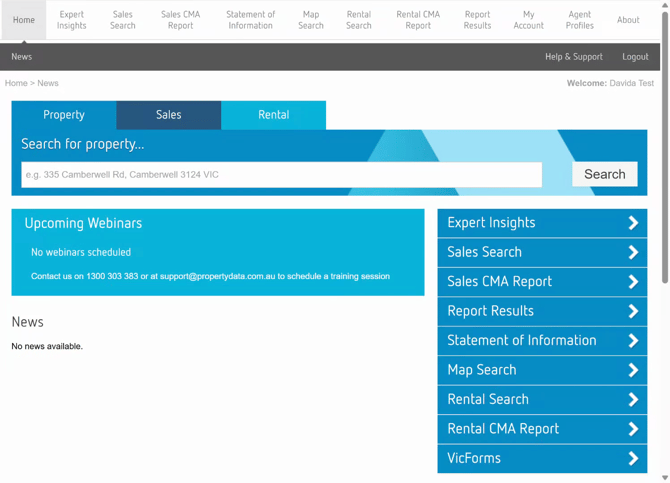
Log into [PropertyData.com](https://members.propertydata.com.au/Secure/Login.aspx?ReturnUrl=%2f). You'll be directed to your dashboard.
#### **Step 2:**
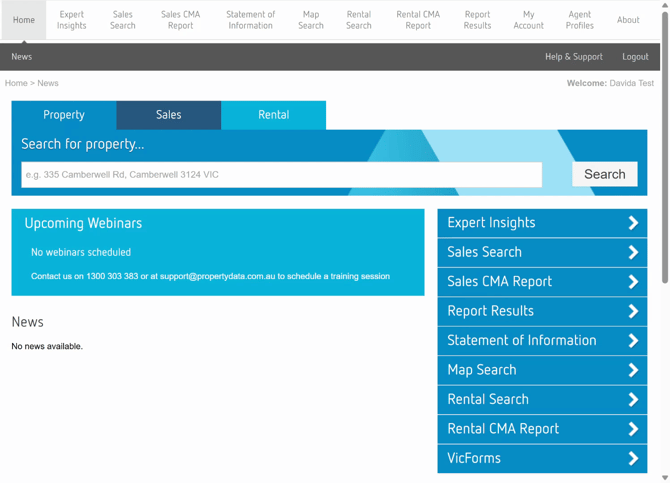
Use the search bar in the centre of the dashboard for quick property, suburb, or street lookups. Above the search bar, you'll find the main navigation to access all features.
#### **Step 3:**
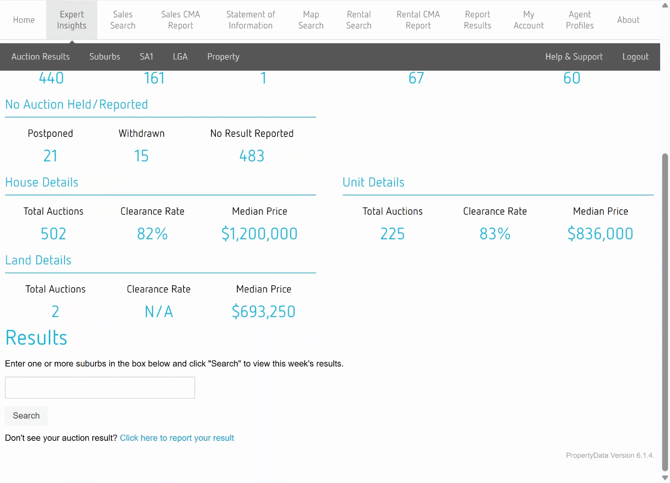
Navigate to the **Experts Insights** tab. Use the search bar here to filter by specific suburb and gain insights into clearance rates, median prices, and volume.
#### **Step 4:**
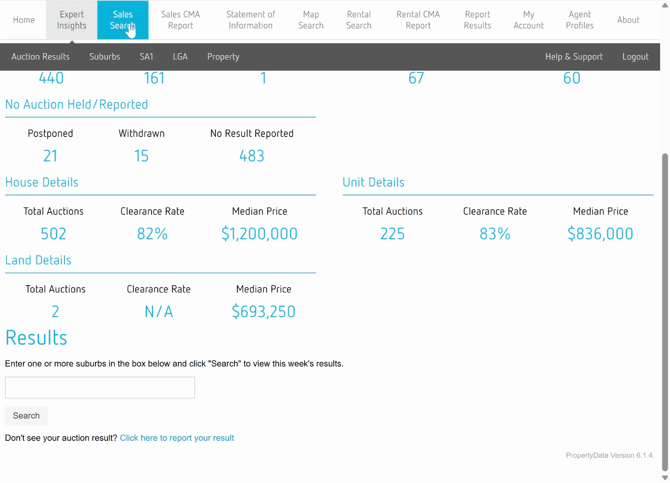
Go to the **Sales Search** section to check a property's sales history, find comparables, or research a local area.
#### **Step 5:**
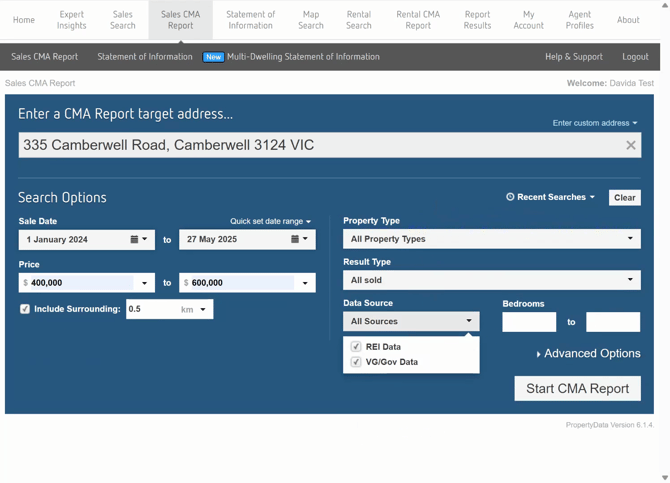
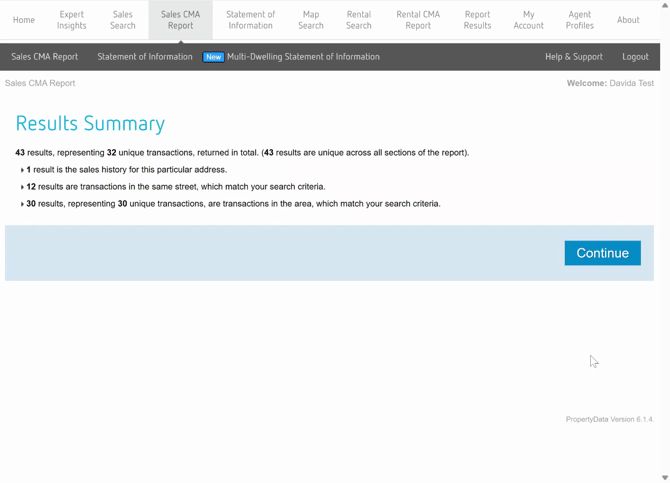
In the **Sell CMA Reports** section, enter your target address, refine your search by selecting sales date, price range, property type, number of bedrooms, and other advanced filters.
#### **Step 6:**
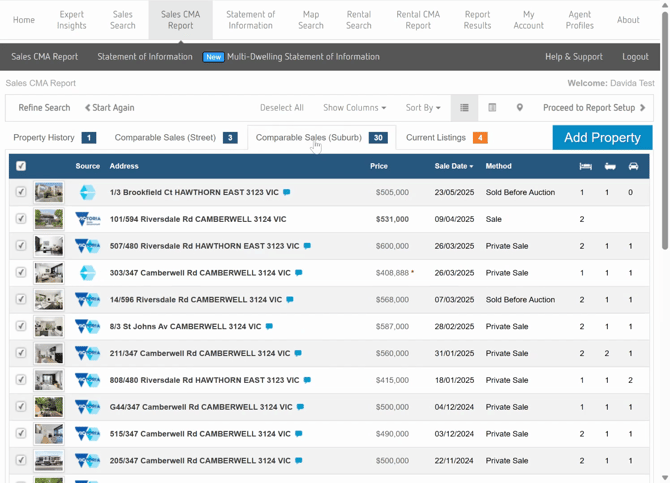
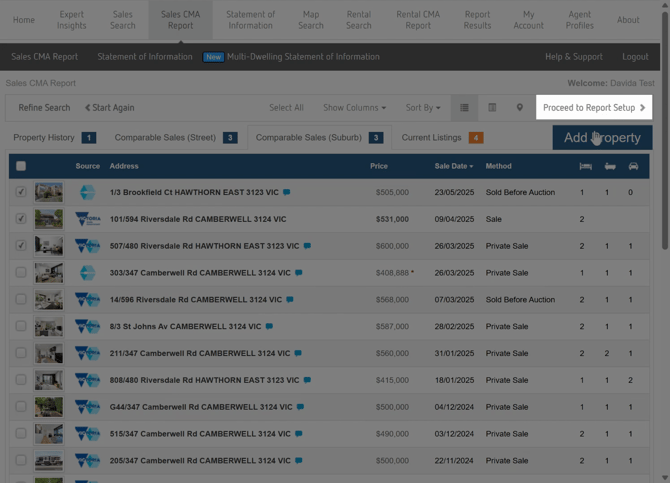
Select your comparables. Properties with a red asterisk have undisclosed pricing. Once selected, proceed to report setup.
#### **Step 7:**
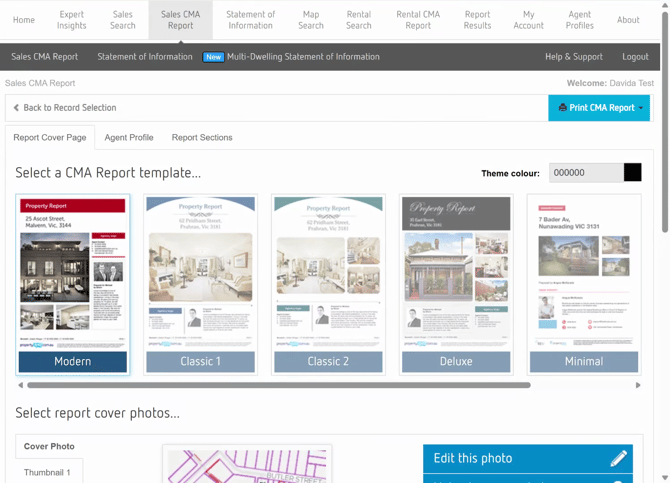
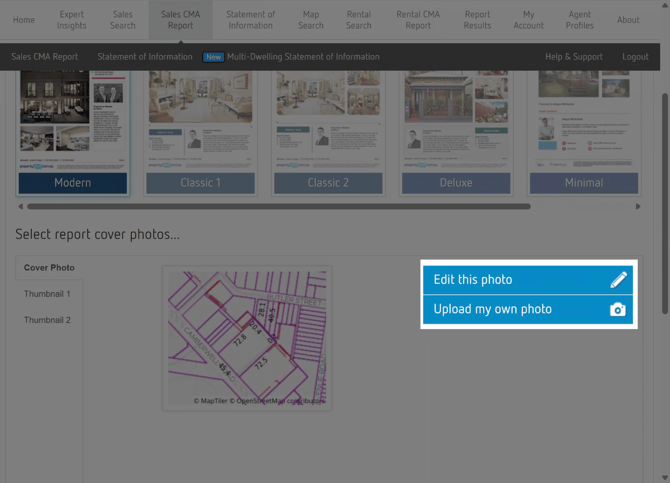
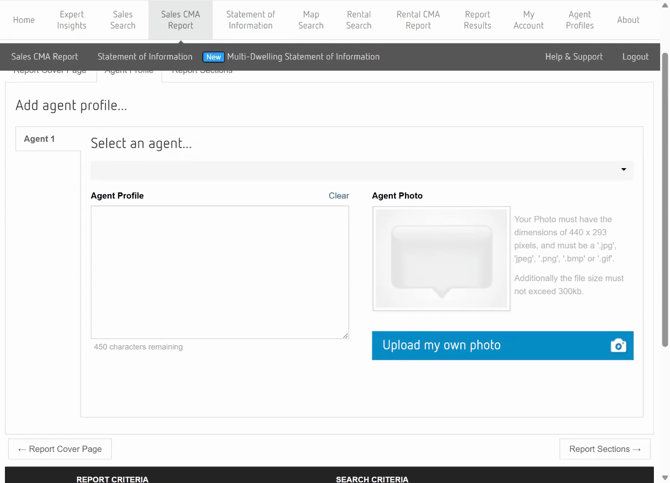
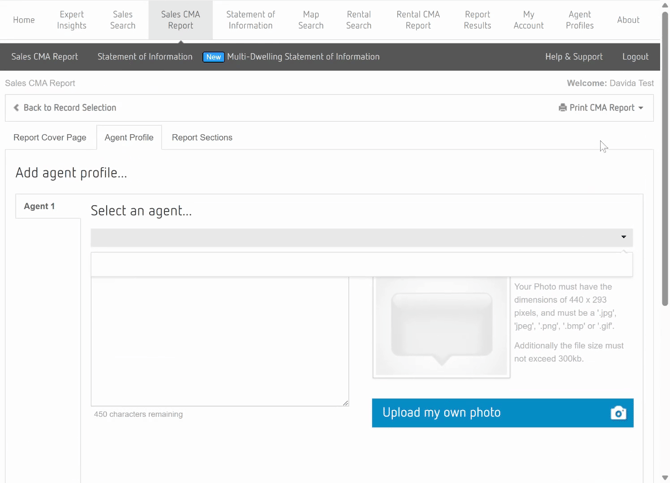
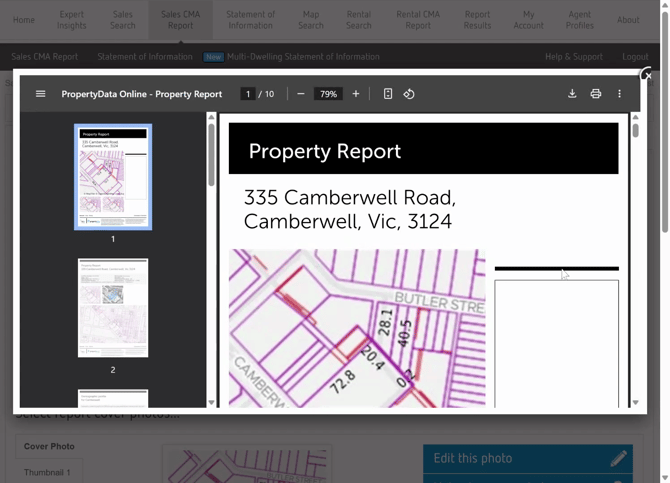
Choose your report template and theme. Add your agent profile, including bio, contact details, and photo. Once completed, print or download your CMA report.
#### **Step 8:**
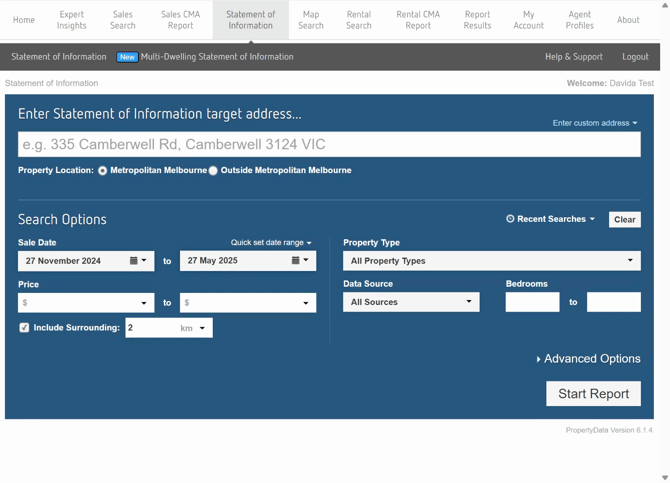
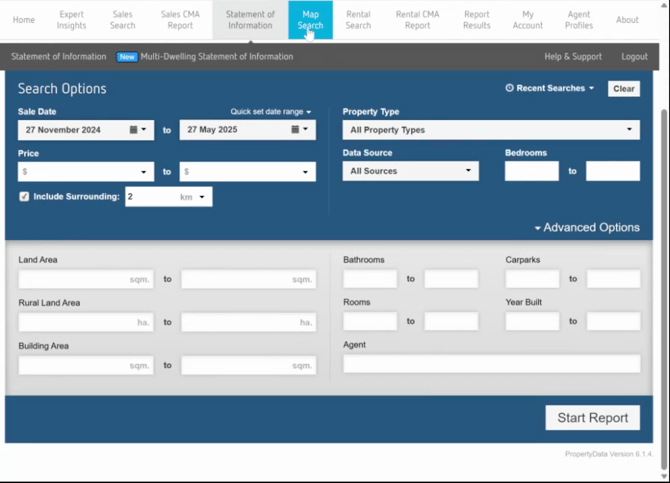
Navigate to the **Statement of Information** section. Enter your target address, select desired dates, property type, and explore advanced options like land area, bathrooms, rooms, and the agency the property was sold by. This feature aligns with Consumer Affairs Victoria's guidelines and saves time with automatic formatting and built-in compliance logic.
#### **Step 9:**
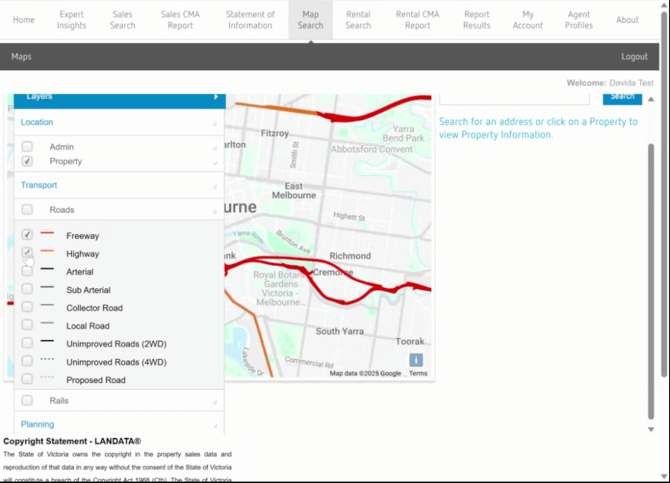
Use the **Map Search** feature for a visual view of your data. Visualize listings, sales, or overlays.
This tutorial is designed to help you get the most of PropertyData. If you have any questions or suggestions, feel free to reach out.
- [Hutly](https://help.hutly.com/hutly?hsLang=en-au#main-content)
- [Agentic AI](https://help.hutly.com/hutly?hsLang=en-au#agentic-ai)
- [Workspaces \[Forms\]](https://help.hutly.com/hutly?hsLang=en-au#workspaces-forms)
- [eSigning](https://help.hutly.com/hutly?hsLang=en-au#esigning)
- [ADL Forms](https://help.hutly.com/hutly?hsLang=en-au#adl-forms)
- [VicForms](https://help.hutly.com/hutly?hsLang=en-au#vicforms)
- [Property Data](https://help.hutly.com/property-data?hsLang=en-au#main-content)
- [CMA (Sales & Rental)](https://help.hutly.com/property-data?hsLang=en-au#cma-sales-rental)
- [Statement of Information (SOI)](https://help.hutly.com/property-data?hsLang=en-au#statement-of-information-soi)
- [Search & Mapping](https://help.hutly.com/property-data?hsLang=en-au#search-mapping)
- [Market Insights](https://help.hutly.com/property-data?hsLang=en-au#market-insights)
- [API & Data Feeds](https://help.hutly.com/property-data?hsLang=en-au#api-data-feeds)
- [Mobile App](https://help.hutly.com/property-data?hsLang=en-au#mobile-app)
- [Result Reporting](https://help.hutly.com/property-data?hsLang=en-au#result-reporting)
- [Account & Platform](https://help.hutly.com/account-platform?hsLang=en-au#main-content)
- [Getting Started](https://help.hutly.com/account-platform?hsLang=en-au#getting-started)
- [Hutly Credits](https://help.hutly.com/account-platform?hsLang=en-au#hutly-credits)
- [Subscription & Pricing](https://help.hutly.com/account-platform?hsLang=en-au#subscription-pricing)
- [Hutly Settings](https://help.hutly.com/account-platform?hsLang=en-au#hutly-settings)
- [Property Data Settings](https://help.hutly.com/account-platform?hsLang=en-au#property-data-settings)
- [Security & Compliance](https://help.hutly.com/account-platform?hsLang=en-au#security-compliance)
- [Troubleshooting](https://help.hutly.com/account-platform?hsLang=en-au#troubleshooting)
- [Sign in](https://au.hutly.com/)
- [Contact us](https://hutly.com/adlforms/contact)
[-1.png?width=150&height=85&name=Hutly_RGB_MainLogo_Landscape_Black%20(3)-1.png "Hutly_RGB_MainLogo_Landscape_Black (3)-1")](https://help.hutly.com/?hsLang=en-au)
[mailto:email@email.com](mailto:email@email.com)
Copyright © 2026, Hutly Pty Ltd