---
title: VicForm - An error occurred trying to send this document for signing via One Touch
description: "Introduction When sending your Vicforms agreements for signing via Hutly One Touch you may occasionally experience an error message: An error occurred..."
---
[Skip to content](https://help.hutly.com/buddybee/an-error-occurred-trying-to-send-this-document-for-signing-via-one-touch-in-vic-forms-#main-content)
English - Australia
Show submenu for translations
[More support](https://help.hutly.com/kb-tickets/new?hsLang=en-au)
[.png?width=150&height=85&name=Hutly_RGB_MainLogo_Landscape_Black%20(5).png)](https://hutly.com/?hsLang=en-au)
- [Sign in](https://au.hutly.com/)
- [Contact us](https://hutly.com/adlforms/contact)
Open main navigation
Close main navigation
- [Sign in](https://au.hutly.com/)
- [Contact us](https://hutly.com/adlforms/contact)
- English - Australia
Show submenu for translations
- [More support](https://help.hutly.com/kb-tickets/new)
- Contact us
Contact us
How can we help you?
- There are no suggestions because the search field is empty.
1. [Hutly Knowledge Base](https://help.hutly.com/?hsLang=en-au)
2. [Account & Platform](https://help.hutly.com/account-platform?hsLang=en-au)
3. [Troubleshooting](https://help.hutly.com/account-platform?hsLang=en-au#troubleshooting)
# VicForm - An error occurred trying to send this document for signing via One Touch
**Introduction**
When sending your Vicforms agreements for signing via Hutly OneTouch you may occasionally experience an error message:

*An error occurred trying to send this document for signing via One Touch. Please try again or contact support.*
This generic error message can occur due to many possibilities; the most common are listed in this article.
#### **Option 1: Agency logo too large**
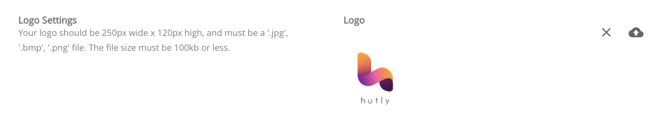
If your agency logo uploaded is above the 100kb file specifications, the envelope sent for signing can exceed the file limits of the combined document. This will cause the sending of the agreement to fail.
You can resolve this by simply uploading a compressed or smaller version of your company logo that meets the 100kb or less file specifications.
#### **Option 2: Document version is not current**

If a form has been updated and a new version is implemented in VicForms, you will be able to update your agreement to match the current version if the agreement has not yet been finalised. However, if the agreement has been finalised, the version number is locked and you will need to re-create the form to be able to send it for signing.
#### **Option 3: Billing issues**
If payment for Vic Forms is overdue, you will not be able to send forms for signing via One Touch. To resolve this, simply head to the subscription page from the options menu of VicForms.
- [Hutly](https://help.hutly.com/hutly?hsLang=en-au#main-content)
- [Agentic AI](https://help.hutly.com/hutly?hsLang=en-au#agentic-ai)
- [Workspaces \[Forms\]](https://help.hutly.com/hutly?hsLang=en-au#workspaces-forms)
- [eSigning](https://help.hutly.com/hutly?hsLang=en-au#esigning)
- [ADL Forms](https://help.hutly.com/hutly?hsLang=en-au#adl-forms)
- [VicForms](https://help.hutly.com/hutly?hsLang=en-au#vicforms)
- [Property Data](https://help.hutly.com/property-data?hsLang=en-au#main-content)
- [CMA (Sales & Rental)](https://help.hutly.com/property-data?hsLang=en-au#cma-sales-rental)
- [Statement of Information (SOI)](https://help.hutly.com/property-data?hsLang=en-au#statement-of-information-soi)
- [Search & Mapping](https://help.hutly.com/property-data?hsLang=en-au#search-mapping)
- [Market Insights](https://help.hutly.com/property-data?hsLang=en-au#market-insights)
- [API & Data Feeds](https://help.hutly.com/property-data?hsLang=en-au#api-data-feeds)
- [Mobile App](https://help.hutly.com/property-data?hsLang=en-au#mobile-app)
- [Result Reporting](https://help.hutly.com/property-data?hsLang=en-au#result-reporting)
- [Account & Platform](https://help.hutly.com/account-platform?hsLang=en-au#main-content)
- [Getting Started](https://help.hutly.com/account-platform?hsLang=en-au#getting-started)
- [Hutly Credits](https://help.hutly.com/account-platform?hsLang=en-au#hutly-credits)
- [Subscription & Pricing](https://help.hutly.com/account-platform?hsLang=en-au#subscription-pricing)
- [Hutly Settings](https://help.hutly.com/account-platform?hsLang=en-au#hutly-settings)
- [Property Data Settings](https://help.hutly.com/account-platform?hsLang=en-au#property-data-settings)
- [Security & Compliance](https://help.hutly.com/account-platform?hsLang=en-au#security-compliance)
- [Troubleshooting](https://help.hutly.com/account-platform?hsLang=en-au#troubleshooting)
- [Sign in](https://au.hutly.com/)
- [Contact us](https://hutly.com/adlforms/contact)
[-1.png?width=150&height=85&name=Hutly_RGB_MainLogo_Landscape_Black%20(3)-1.png "Hutly_RGB_MainLogo_Landscape_Black (3)-1")](https://help.hutly.com/?hsLang=en-au)
[mailto:email@email.com](mailto:email@email.com)
Copyright © 2026, Hutly Pty Ltd